Last Friday, as I left the house for clinic, I dictated two prompts into my phone as an experiment.
The first:
In a single shot, provide me a dashboard of the most recent Massachusetts Health Policy Commission total cost of care data.
The second, verbatim, ums included:
In a single shot, create a Street Fighter game that I can play on my phone that has Elon Musk versus, uh, Mark Zuckerberg and maybe a few other Titans of Industry as selectable characters. Should be single player, and it will randomly select a opponent, um, kind of, uh, yeah. I I don’t care too much about the details, uh, but maybe mainly emphasizing that it… I… yeah. Don’t ask for additional design decisions. Just make them.
(Yes, years of experience in clinical dictation, on full display.)
Both were done before I parked. The dashboard quietly corrected my agency mix-up — the Health Policy Commission sets the benchmark; CHIA publishes the data — and tracked down CHIA’s March 2026 Annual Report, the freshest official read on Massachusetts health spending, assembling the CY2024 story into a single self-contained interactive page: total health care expenditures of $83.3 billion, $11,663 per resident, growth of 5.7% against a 3.6% benchmark, the fourth consecutive year above target. The payer detail was in there too — commercial spending up 10.8%, MassHealth per-member costs up 20.4% as eligibility redeterminations shrank membership and left a sicker risk pool.

The game agent imposed its own guardrails, declining to build a game where real people beat each other up. It invented four parody tycoons — a rocket mogul with a flaming dash, a hoodie-clad algorithm lord who throws spinning “like” projectiles — wired up touch controls, health meters, and a round timer, and handed me an arcade fighter that runs in my phone’s browser.

On paper, these are deliverables from two different professions. The dashboard is business intelligence — in a health system, the work of an analytics team: source data, KPIs, benchmark tables, a citation trail. The game is software development — a game loop, collision detection, input handling, character state machines, the work of engineers. Two realms of expertise, two backlogs, two degree paths — and they collapsed into the same act: a paragraph of dictated intent, a single HTML file, less time than it takes to drive ten miles. That collapse has got me thinking.
The prompt is not a spec
That second prompt is no one’s idea of a requirements document. It’s a transcript of a person thinking out loud on a commute, false starts and all, and its only unambiguous sentence — “Don’t ask for additional design decisions. Just make them” — hands over the specification itself.
In early 2025, Andrej Karpathy gave this workflow a name — vibe coding: give in to the vibes, “forget that the code even exists.” It’s easy to hear that as flippancy, but it is really about abstraction. Code hasn’t gone away — both of my artifacts are hundreds of lines of JavaScript that I will probably never read — but it now sits where assembly language has sat since the compiler arrived: a layer below where the author works. I supplied intent; the rest was translation.
For two decades, business intelligence promised something it called self-service: semantic layers, drag-and-drop chart builders, governed data marts. What it mostly democratized was consumption — anyone could view the dashboard someone else built. Creation still lived behind a queue: file the ticket, wait for the analyst, review, revise, wait again. The unit of BI delivery has always been the request — and it’s the queue, more than the craft, that this new way of working removes. Applications have their own version of the gate: the cost of design, development, and distribution has meant software gets written only when enough people share a problem to justify the investment. Both gates crumbled in the same ten-mile drive.
Yes — the demo is the easy half
Anyone who has run an analytics shop will object here, and the objection is fair. A single-shot dashboard has no refresh schedule, no lineage, no access controls, no agreed definitions behind its numbers. Mine froze the moment it was built and is already aging toward obsolescence. Healthcare data punishes casual handling more than most domains, and a wrong number in a benchmark hearing matters.
But the objection, taken seriously, concedes the interesting point: everything still on the worry list is about trust and maintenance rather than construction. Building the thing has dropped off the list of scarce resources.
The most instructive part of the dashboard, in fact, was its caveat. Unprompted, it flagged that one historical figure — the 2018 growth rate — came from prior-year reporting rather than the current chart, and was worth verifying against the source databook before citing. Building the artifact took minutes; deciding whether to trust it is the work that remains. Whether MassHealth per-member growth of 20.4% is meaningfully comparable across a redetermination year is not a question about pixels. It’s a question about definitions, denominators, and context — and settling questions like that, not rendering charts, is where BI budgets actually go.
The video game, meanwhile, made a judgment of its own: it declined to stage fights between real, named people and invented parody characters instead. Software embodies opinions — I wrote that about the EMR a decade ago — and now the thing that writes the software arrives with opinions too. Both artifacts came back with values baked in — one about data provenance, one about real persons — neither of which I asked for. Are they the right values? That’s a far harder question than whether the code runs. I think, perhaps, my new game lost some of its edge (at least until its new character — Rex Orbital (haha, Elon Musk, get it?) — becomes a household name).

What this means for healthcare IT
So if the ticket backlog were to disappear — and the cost gate on applications with it — what gets unlocked? I am sure there are industries where the answer is simple: abundance. Healthcare’s answer, though, runs through what telecom engineers call the last mile: the final connection to the home was always the expensive one, long after the long-haul lines got cheap. Our long-haul to the clinic just got cheap. In 2009, Mandl and Kohane argued in the New England Journal of Medicine that health IT needed substitutable applications — an iPhone-style app economy where a clinician could download a tool, reject it, and try another. Seventeen years on, that vision arrived only partially through EHR app stores and APIs. The gap remains wide enough that even today, the 2021 call to action I made alongside smart collaborators to enable integrating web services and applications into EHRs is still an opportunity. We are getting closer.
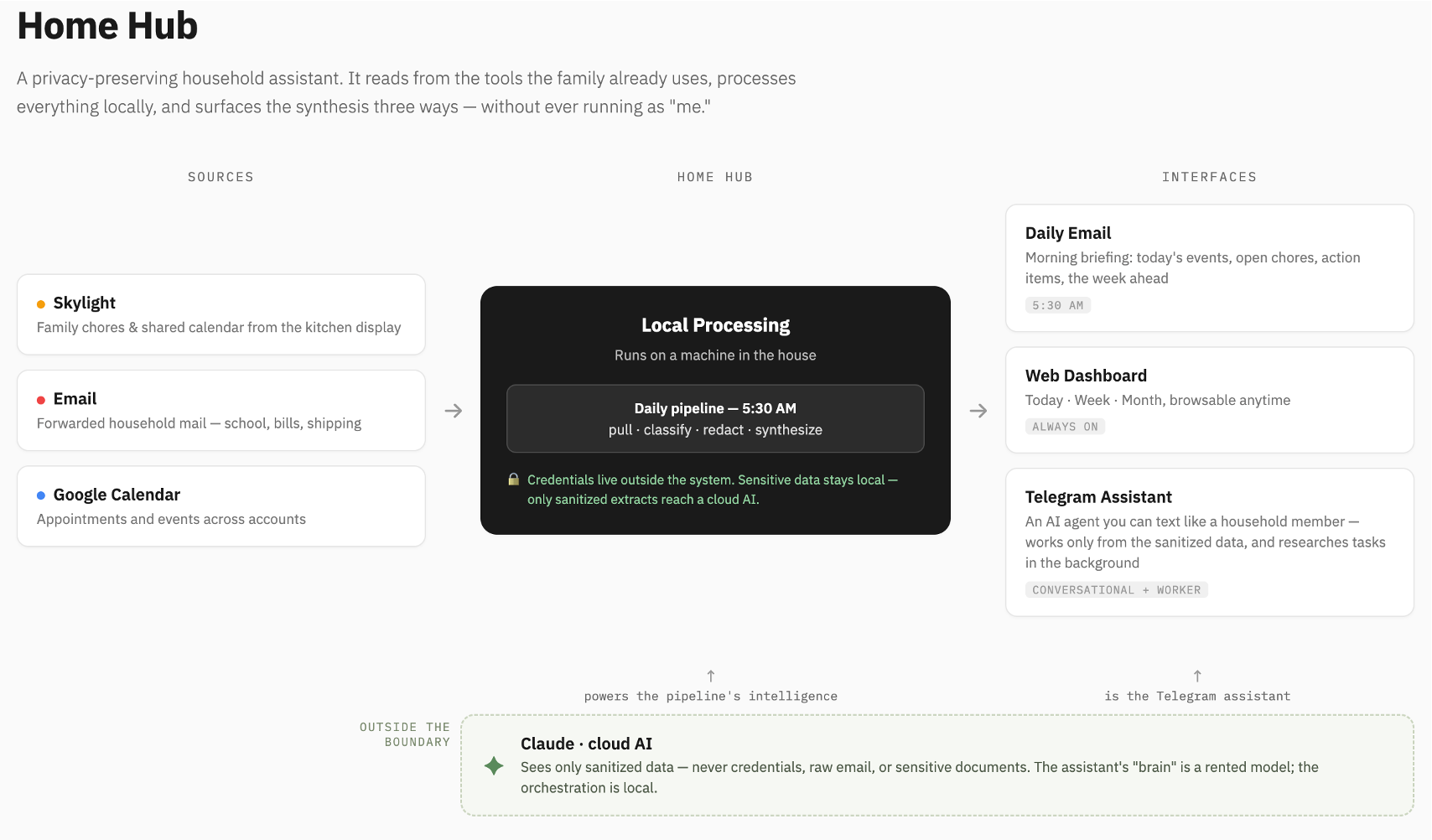
It seems that the rest of the vision will arrive through prompts and agents. Robin Sloan once wrote that an app can be a home-cooked meal — software made for a household, with no ROI and no roadmap. Maggie Appleton extended the idea to barefoot developers: domain experts building local software for communities that the industry will never serve. Healthcare is full of these unserved communities. The nurse manager’s staffing grid. The pharmacist’s prior-auth tracker. The quality team’s registry view that exists today as a heroic spreadsheet (v27_FINAL_final.xlsx). These are the small data tools — operationally vital, too small to justify taking a project number from the queue, which is precisely why they never got built. I am already living the home-cooked version of this: when I couldn’t buy the household assistant I wanted, I built it. These two took a commute. How many commutes are there in healthcare? How many to a clinic still thirsting for easier access to technology & data solutions?
The implication is uncomfortable for those of us who steward health systems’ information environments. Our de facto governance model for software creation has been scarcity: if building required developers, and developers required budget, then “who may build” was controlled by default, and the backlog could pass for a safeguard.
When anyone can build, “who may build” stops working as a control point. The real questions surface: What do we trust? How do we validate it? Where does it run, and what data can it see? What happens when the pharmacist’s tracker quietly becomes the source of truth for others as well? These are harder questions than triaging a ticket queue — but they are better ones, because they interrogate the actual risk instead of a proxy for it. A health system that answers them well gets something the request queue never delivered: the people who understand the problems helping build the solutions. Governance targeting is aimed more at meaning and trust rather than at construction.
On one drive to clinic, the dashboard and the video game cost me the same — a paragraph of dictated intent apiece — and both were waiting before I’d seen my first patient. But the ten miles I covered were never the hard part. The distance that matters in healthcare is the last mile, from a working artifact to the point of care, and it’s paved with exactly the things a prompt doesn’t generate: agreed definitions, validated numbers, workflows that carry a tool into the visit, and trust. Building was just the expensive part, and now it mostly isn’t. We can go farther faster, and — I hope — cast more of our attention to that last mile that still must be solved in carbon.